
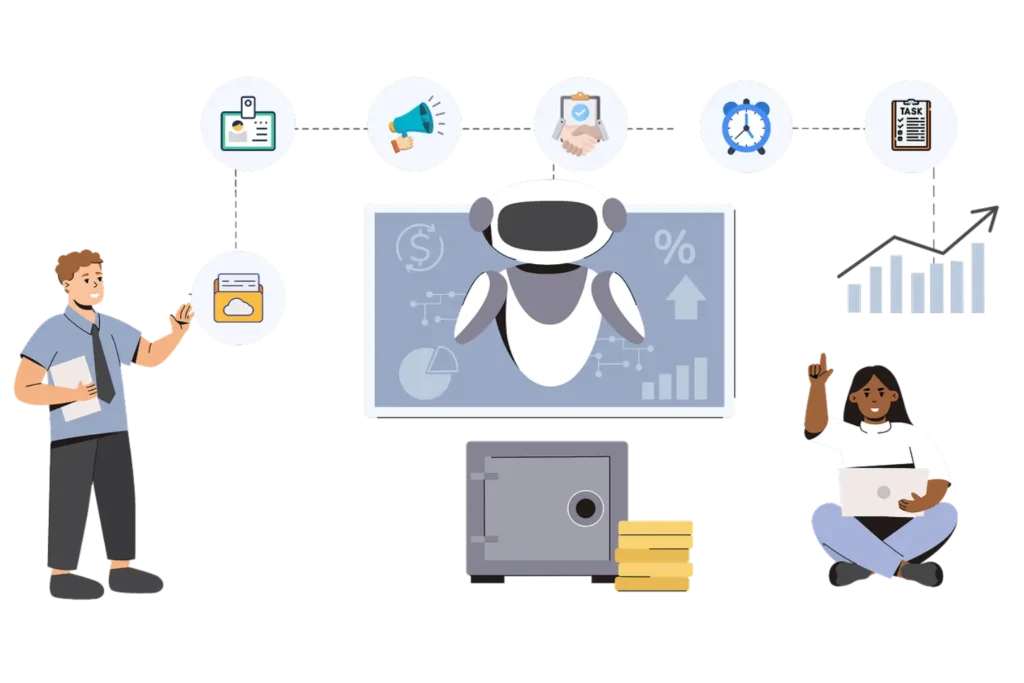
AI Agent for HR Tasks: How AI Is Changing Everyday HR Work

- An AI agent for HR tasks can complete full HR workflows on its own, not just answer basic questions like a chatbot.
- SHRM reports that 87% of organizations using AI in HR saw efficiency gains, and 75% saw better work quality.
- HR365 HRMS runs inside Microsoft 365, so HR teams get an AI HR agent without adding a new platform or new login.
- Recruiting, leave management, onboarding, and policy questions are the top tasks HR teams already hand off to AI.
HR teams handle hundreds of small tasks every week, from leave approvals to onboarding paperwork. In 2026, 39% of HR teams already use an AI agent for HR tasks, and 46% plan to adopt one by year-end, per SHRM.
That gap between “using AI” and “using it well” is where most HR teams get stuck. An AI agent for HR tasks does not just answer questions like an old chatbot. It takes action, updates records, and completes work on its own. This shift is why more HR leaders are looking for an AI HR agent that fits inside tools they already use, like Microsoft 365.
Whether you run HR for a 200-person firm or a 5,000-person enterprise, the pain point is the same: too many small tasks eat up your day. An HR director wants fewer approvals sitting in her inbox. An HR generalist wants fewer repeat questions from staff. A CHRO wants proof that AI for HR teams actually pays off before signing a big contract. HR365 HRMS was designed with all three of these people in mind, not just the IT team buying the software.
What Is an AI Agent for HR Tasks?
An AI agent for HR tasks is smart software that can understand requests, follow company rules, and complete HR work with little human input. Unlike a basic chatbot that only answers questions, it can take action across multiple steps, such as checking leave balance, applying policy, updating records, and notifying managers automatically.
Gartner also predicts that 40% of enterprise applications will carry task-specific AI agents by the end of 2026, up from under 5% in 2025. That is an eightfold jump in less than two years, and HR software is part of this wave.
It also helps HR teams stay ahead of routine work. For example, it can prepare onboarding tasks for a new hire, send welcome messages, and assign documents before HR manually starts the process. HR365 HRMS brings this AI-powered support into Microsoft 365, so HR teams can manage everyday tasks directly from Teams, SharePoint, and Outlook.
Why HR Teams Are Shifting from Chatbots to AI Agents
Traditional HR chatbots could answer common questions, but they rarely completed the work. If an employee wanted to apply for leave, update personal information, or start an onboarding process, HR still had to handle most of the steps manually. AI agents change this by responding to requests and completing the task from start to finish.
Here are some of the reasons HR teams are making the switch:
- Complete HR tasks instead of only answering employee questions.
- Follow company policies consistently across every request.
- Reduce repetitive administrative work for HR teams.
- Respond to employee requests more quickly.
- Keep employee records and HR data up to date automatically.
- Free HR teams to focus on hiring, engagement, and development.
HR365 HRMS brings AI-powered HR assistance directly into Microsoft 365. Working within Teams, SharePoint, and Outlook, the AI agent can securely access employee information, support approvals, and help HR teams manage everyday tasks without leaving the Microsoft environment.
Common HR Tasks an AI Agent Can Handle
An AI agent for HR tasks can support every stage of the employee lifecycle, from hiring new talent to managing employee exits. Instead of handling repetitive work manually, HR teams can rely on AI to complete routine tasks quickly and consistently.
Some of the most common HR tasks an AI agent can handle include:
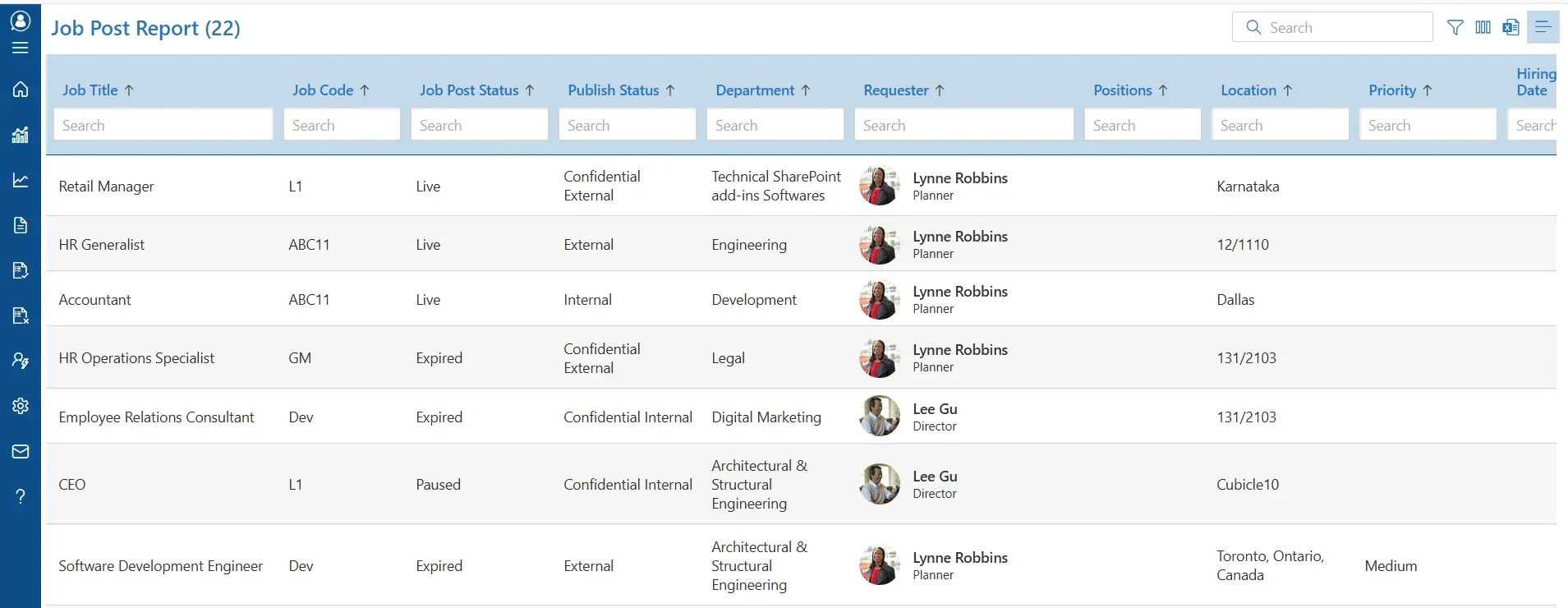
1. Recruitment
An AI agent can review resumes based on job requirements, identify qualified candidates, schedule interviews, and send interview reminders. It reduces manual screening time and helps HR teams move candidates through the hiring process more efficiently.
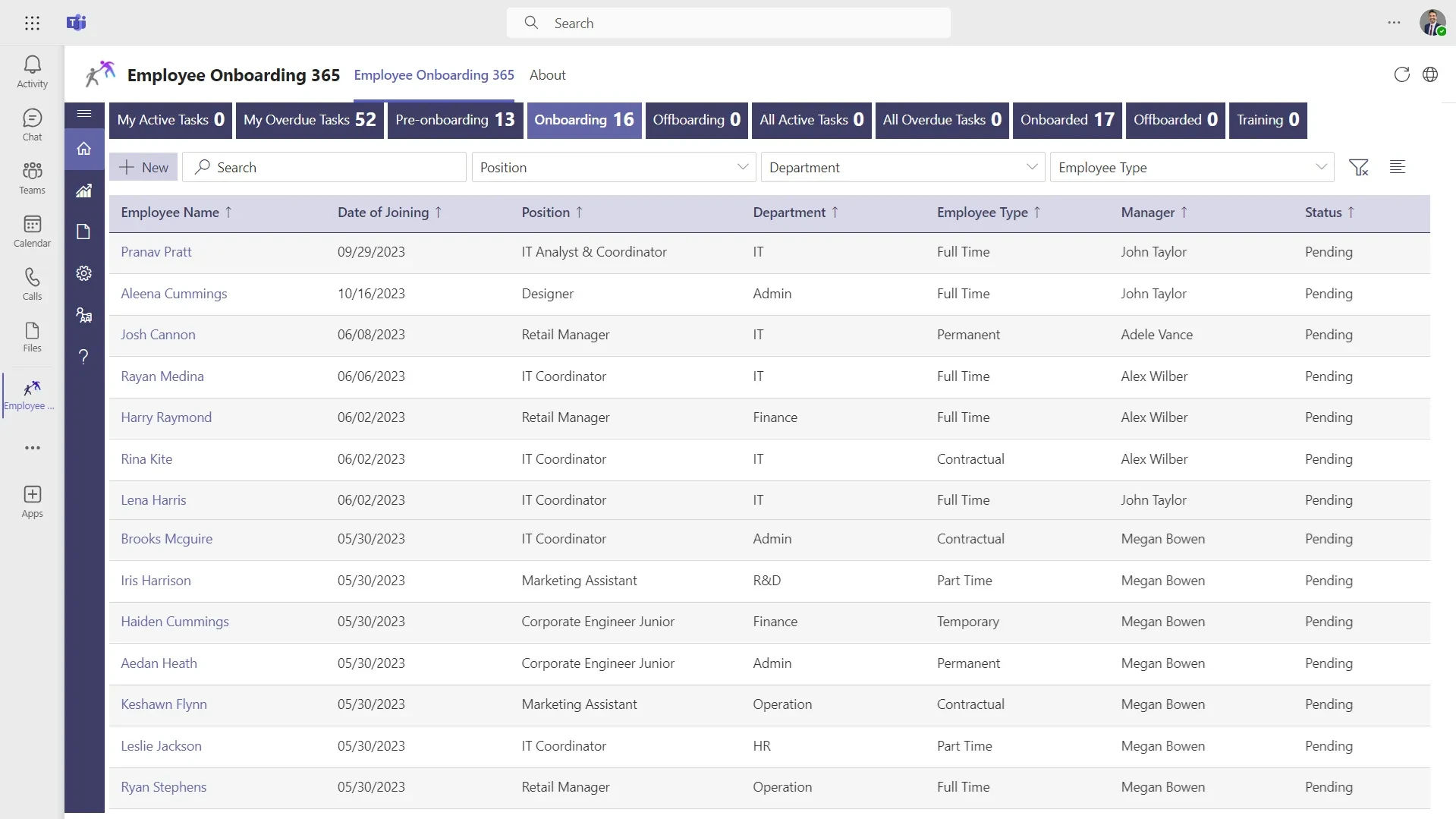
2. Employee Onboarding
AI agents can prepare onboarding checklists, send welcome emails, assign required documents, share company policies, enroll new hires in training programs, and notify managers about pending onboarding activities. This helps new team members start with everything they need on their first day.
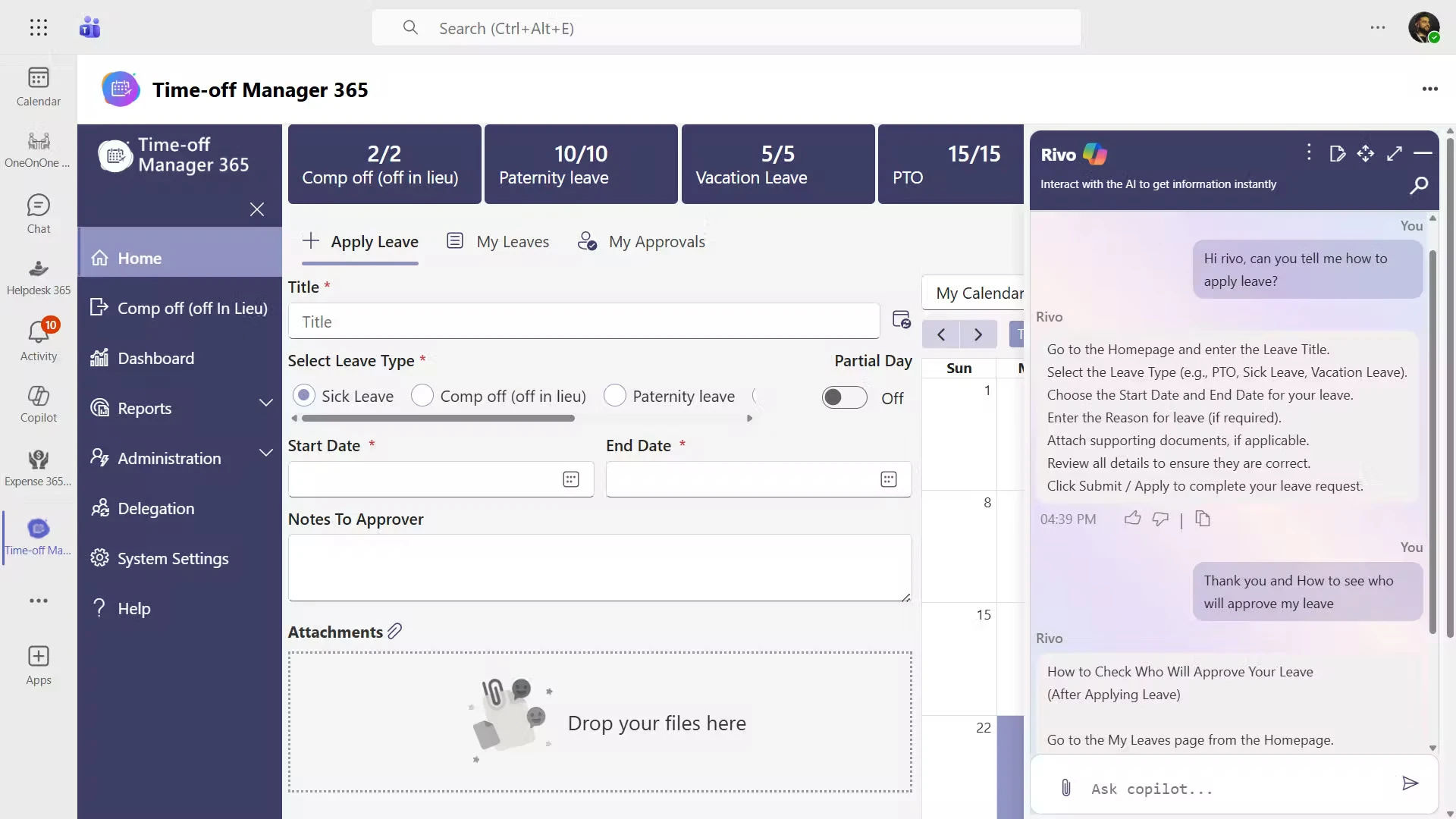
3. Leave Management
Instead of manually reviewing every leave request, an AI agent can verify leave balances, apply company leave policies, check for approval requirements, route requests to managers, update leave records automatically, and notify employees of the decision. This speeds up approvals while maintaining consistency.
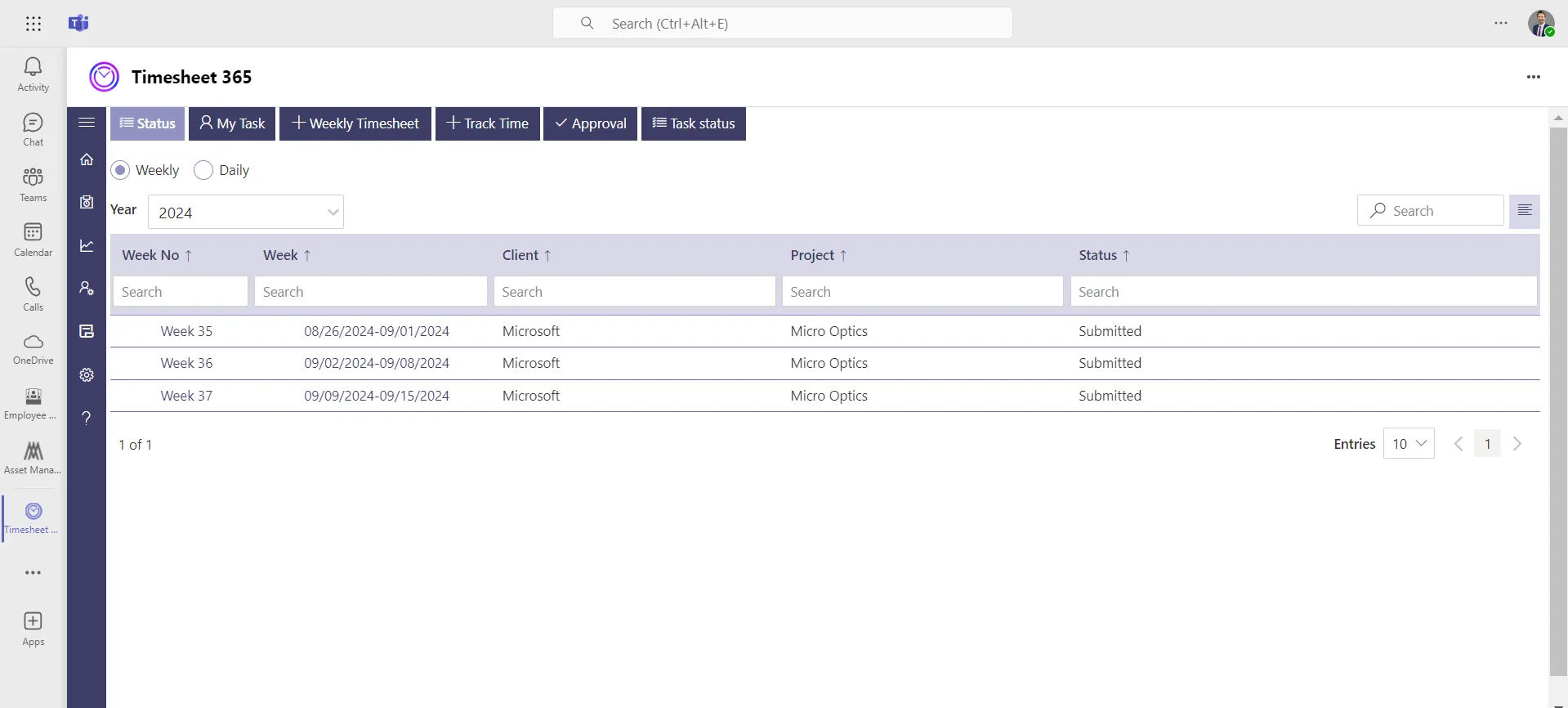
4. Attendance and Timesheets
AI agents can monitor attendance records, identify missing or incomplete timesheets, remind team members to submit their work hours, and notify managers about exceptions. This reduces manual follow-ups and helps keep attendance records accurate.
5. Employee Directory
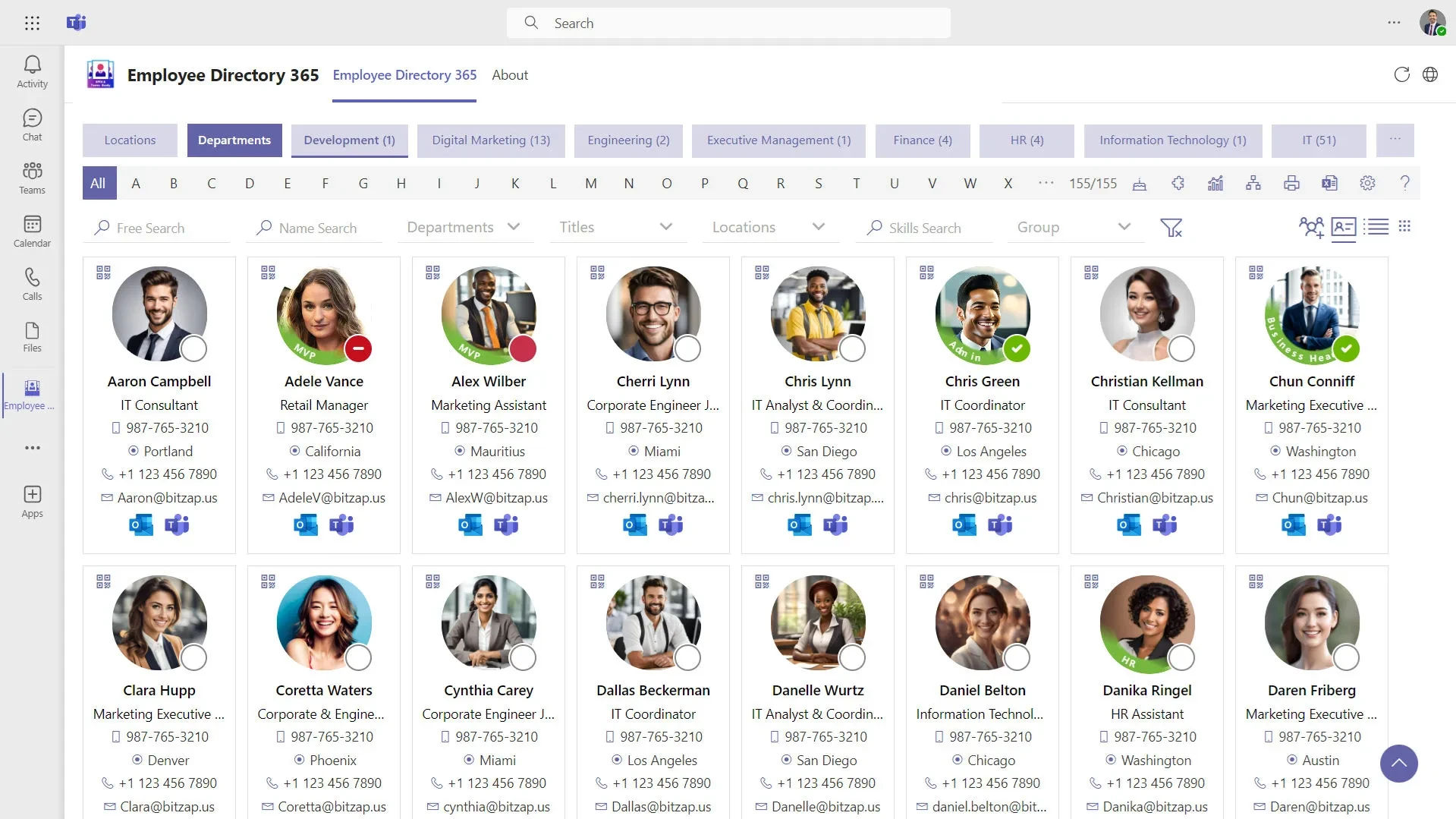
Finding employee information becomes much faster with an AI agent. It can quickly retrieve contact details, department information, reporting structures, job titles, and other employee records, helping HR teams and managers access the information they need without searching through multiple systems.
6. HR Support
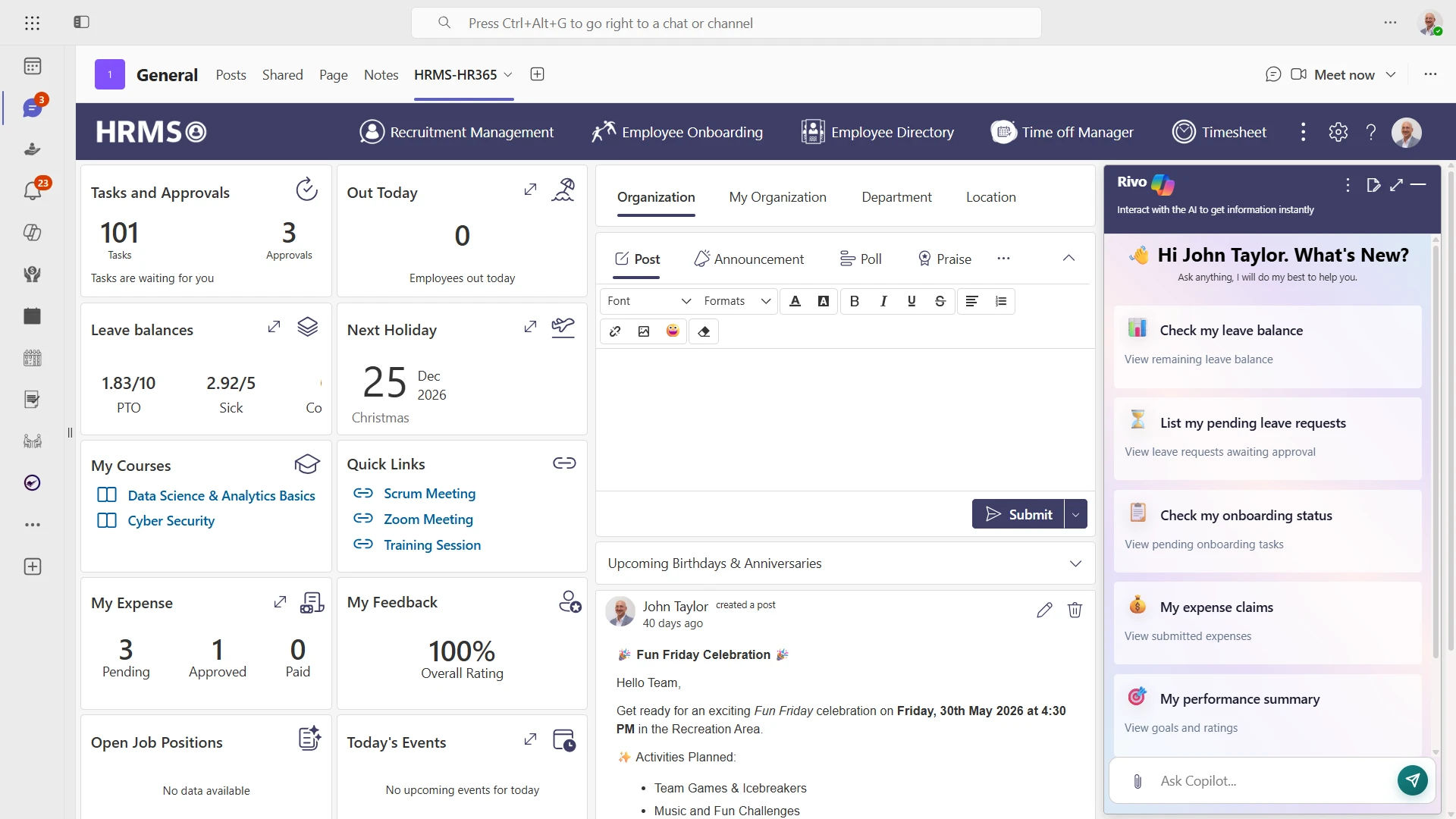
Employees often have questions about leave policies, onboarding procedures, workplace guidelines, or other HR processes. An AI agent can provide instant answers based on company policies, reducing repetitive queries and helping employees find information whenever they need it.
7. Performance Management
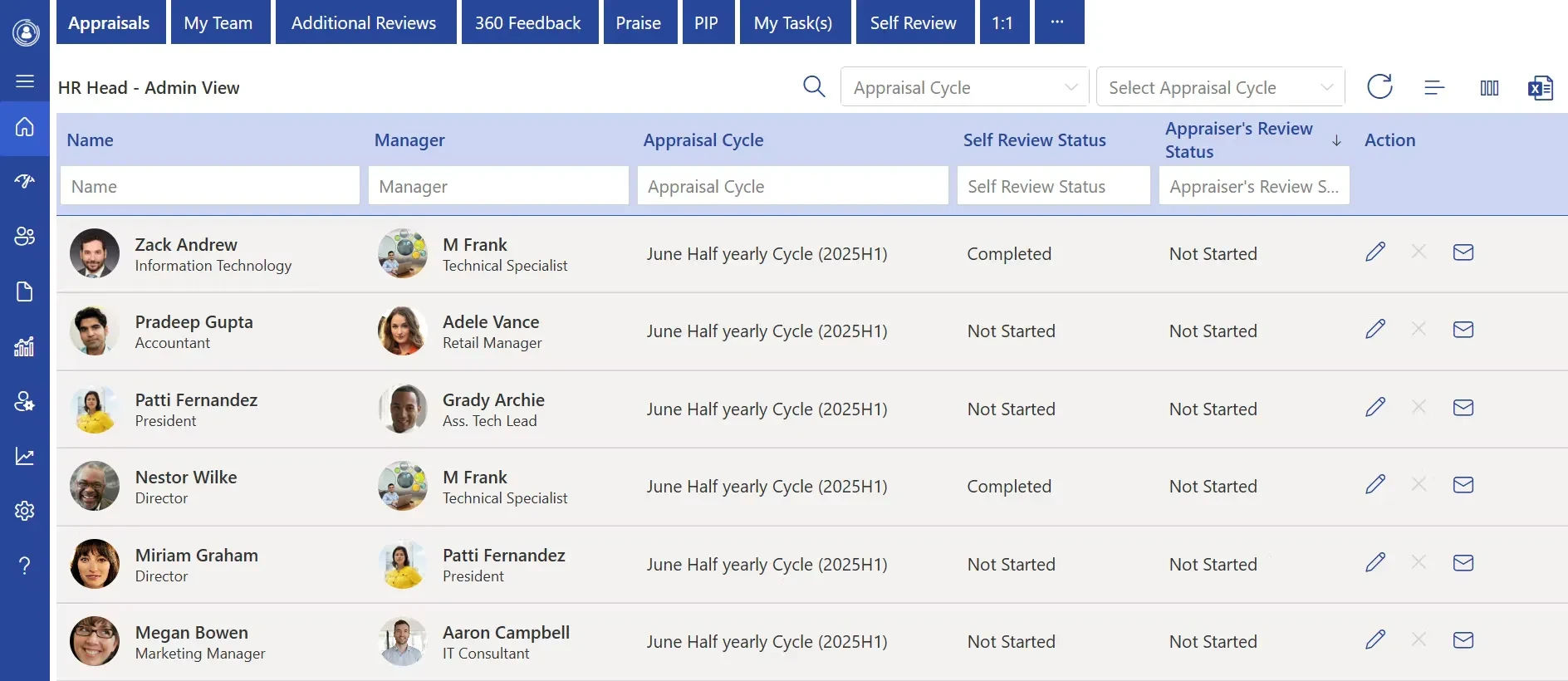
AI agents can remind managers about upcoming review cycles, distribute self-assessment forms, collect feedback from peers, track review progress, and notify participants about pending actions. This keeps performance reviews organized and helps ensure deadlines are met.
8. Learning and Training
AI agents can recommend learning programs based on an employee’s role, assign mandatory training, remind team members about upcoming courses, and track completion status. This helps organizations keep learning activities organized while supporting continuous skill development.
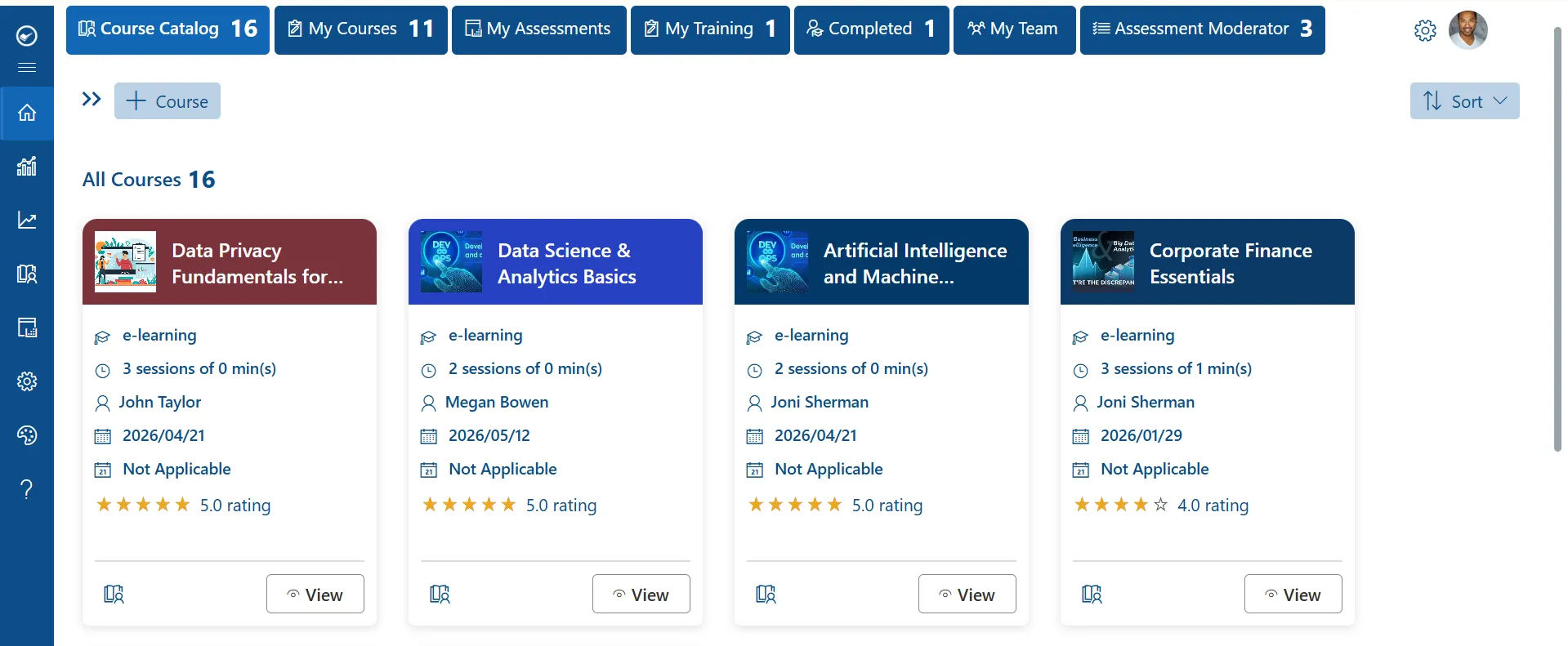
According to SHRM, recruiting is one of the most common uses of AI in HR, followed by HR technology support and learning initiatives. As organizations expand AI adoption, more routine HR tasks are being automated to reduce manual work and improve response times.
HR365 HRMS brings all these capabilities together in a single AI-powered solution built for Microsoft 365. Rather than using separate tools for different HR functions, organizations can manage recruitment, onboarding, leave, performance, learning, and employee support from one centralized platform.
AI Agent vs Traditional HR Software: What Is the Difference?
A traditional HRIS stores data and runs reports. It waits for a person to open a screen, fill a form, and click submit. An AI agent for HR tasks does not wait. It watches for a trigger and acts right away.
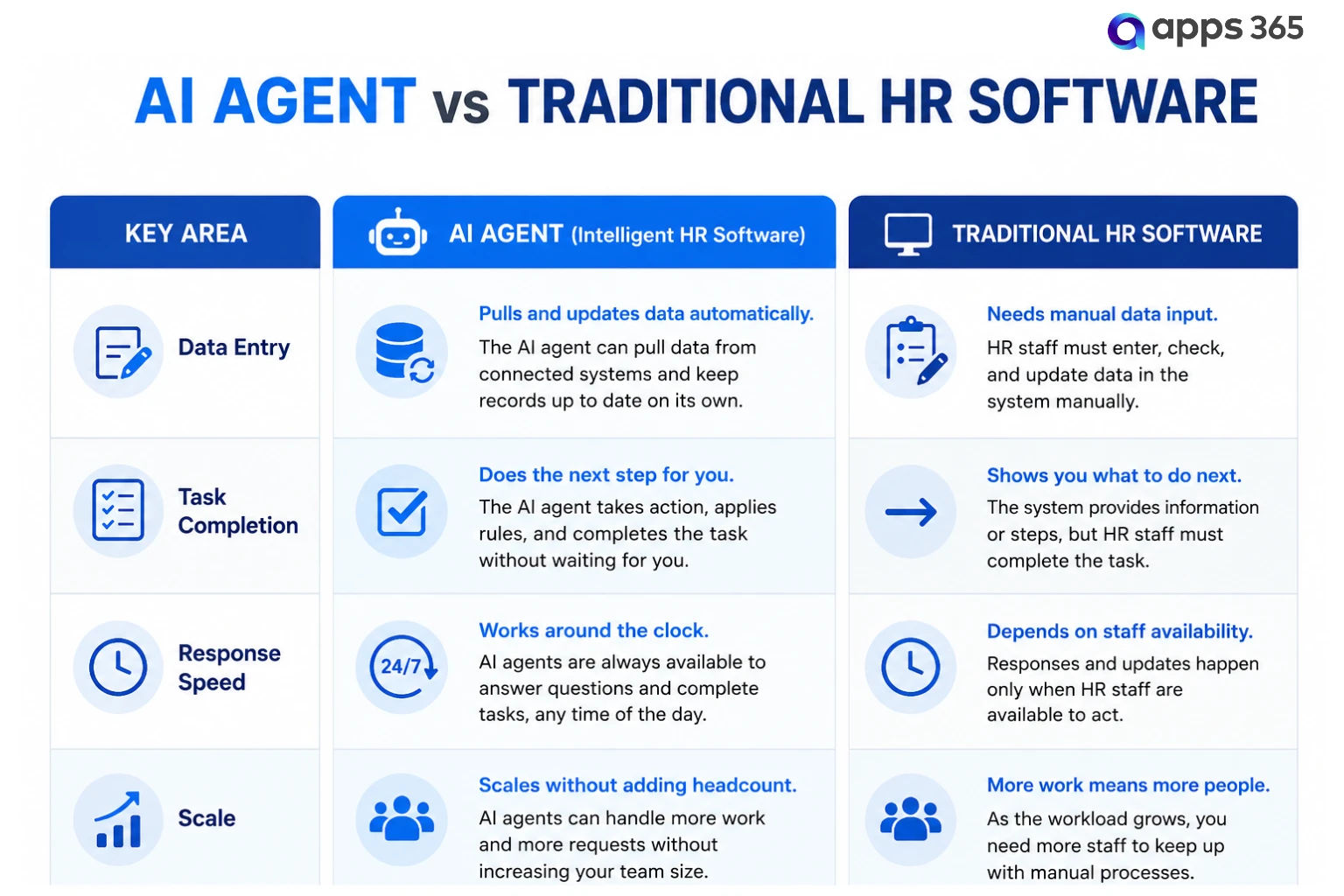
This does not mean HR software is outdated. It means the AI layer on top makes the HRIS smarter and faster to use. That is the model HR365 HRMS follows: a full HRMS with an AI agent built in, not bolted on as an afterthought.
For an HR manager buried in monthly reports, this shift is the real win. Instead of pulling data and building the report by hand, the AI HR agent inside HR365 HRMS pulls the numbers, flags anything odd, and drops a ready summary in your inbox each week.
Why Choose HR365 HRMS for AI-Powered HR Tasks in Microsoft 365
Security and data privacy are among the biggest concerns when adopting AI for HR. Employee records contain sensitive information, so organizations need an AI solution that works within trusted systems and follows existing security policies.
HR365 HRMS is built on Microsoft 365, helping organizations use AI while keeping HR data protected.
Key security and management capabilities include:
- Microsoft 365 native architecture: Operates within your Microsoft 365 environment without moving HR data to external platforms.
- Role-based permissions: AI only accesses information and performs actions based on each user’s assigned permissions.
- Protected employee data: HR records remain within your Microsoft tenant using Microsoft’s security and encryption standards.
- Complete activity tracking: Every AI action is recorded, giving HR teams full visibility and accountability.
- Secure approval workflows: AI follows existing approval processes instead of bypassing established business rules.
- Centralized HR management: Manage onboarding, leave, employee records, performance, and other HR tasks from one Microsoft 365-based platform.
Unlike standalone AI tools that require separate integrations, HR365 HRMS is built specifically for the Microsoft ecosystem. By working directly with Microsoft Teams, SharePoint, and Outlook, it brings AI-powered HR assistance into the applications your HR teams already use every day.
Conclusion
AI agents are changing how HR teams manage everyday work. Instead of spending hours on repetitive tasks like onboarding, leave requests, employee questions, and performance reminders, HR professionals can rely on AI to complete routine processes faster and more consistently. As more organizations adopt AI, choosing a solution that works with your existing systems becomes just as important as the technology itself.
For organizations using Microsoft 365, HR365 HRMS brings AI-powered HR assistance directly into Teams, SharePoint, and Outlook. With built-in automation, secure data management, and support across the entire employee lifecycle, it helps HR teams spend less time on administration and more time supporting their people.
Ready to Bring AI into Your HR Processes?
Book a free HR365 HRMS demo to automate HR tasks with AI directly inside Microsoft 365 today.
Frequently Asked Questions
What is an AI agent for HR tasks?
An AI agent for HR tasks is intelligent software that can understand requests, follow company policies, and complete routine HR activities with minimal human involvement. It can manage tasks such as onboarding, leave requests, employee queries, and record updates, helping HR teams save time and reduce manual work.
Will an AI HR agent replace HR jobs?
No. AI agents are designed to support HR professionals, not replace them. They take over repetitive administrative tasks while HR teams continue to focus on hiring, employee engagement, performance conversations, and strategic decision-making that require human judgment and interaction.
What is the difference between an AI HR agent and a chatbot?
A chatbot mainly answers employee questions based on predefined information. An AI HR agent goes further by completing tasks such as processing leave requests, updating employee records, triggering workflows, and sending notifications, making it a more capable solution for everyday HR operations.
Is AI HR software safe for employee data?
Security depends on the platform you choose. HR365 HRMS is built on Microsoft 365, keeping HR data within your organization’s Microsoft environment. It supports role-based permissions, secure access controls, and activity tracking to help organizations protect sensitive employee information.
Can AI agents handle leave and attendance requests?
Yes. AI agents can check leave balances, apply company leave policies, submit requests for approval, update attendance records, and notify managers automatically. This reduces manual work while helping HR teams process requests more quickly and consistently across the organization.


_JiluXJRGNl.svg)























